Reviewed by GIA graduate gemologists

UnderstandingDiamond Carat

Carat is the attribute most buyers ask about first. This guide explains how to choose a carat weight that fits your budget - and the “magic numbers” where price jumps sharply with no visible change in size.
Money-back
guarantee
GIA certified
diamonds
#1 on
Trustpilot
Free insured
shipping
Reviewed by GIA graduate gemologists

UnderstandingDiamond Carat

Carat is the attribute most buyers ask about first. This guide explains how to choose a carat weight that fits your budget - and the “magic numbers” where price jumps sharply with no visible change in size.
Money-back
guarantee
GIA certified
diamonds
#1 on
Trustpilot
Free insured
shipping

What’s inside this guide

  • 01.
    What is a carat?
  • 02.
    Carat size chart
  • 03.
    Carat weight vs. size
  • 04.
    Magic numbers & price
  • 05.
    How to look bigger
  • 06.
    FAQs
01.Carat

A carat is a unit of weight, not size

Since a carat measures weight, not surface area, two diamonds of the exact same carat weight can look noticeably different on a finger. That’s where cut quality starts to matter.
One carat equals exactly 0.2 grams. The word comes from carob seeds, which were once used as a counterweight by ancient diamond traders because they were remarkably uniform in mass.
A carat is divided into 100 “points,” so a 0.75 ct. diamond is described in the trade as a “seventy-five pointer.” You’ll see this shorthand on certificates and search filters.
A carat in numbers
0.5 ct.
5.2mm
1.0 ct.
6.5mm
2.0 ct.
8.2mm
A carat is 0.2 g - but a diamond's diameter does not increase at the same rate as its weight.
02.Chart

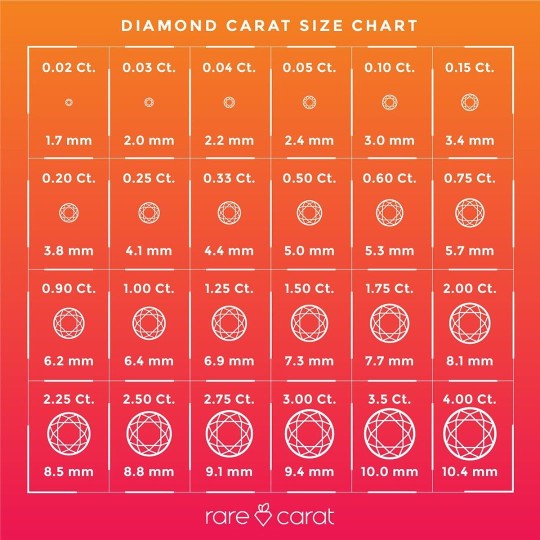
Diamond carat size chart

Carat weight measures how heavy a diamond is, not its physical size. Because visual presence depends heavily on shape and cut depth, two stones with the same carat weight can look very different on the hand.
Use the comparison visuals on the right to see how different carat weights typically convert to face-up diameters (in millimeters), and how those weights wear on a finger.
Diameters are typical for a well-cut round diamond. Other shapes and cut qualities vary.
Weight vs. Size
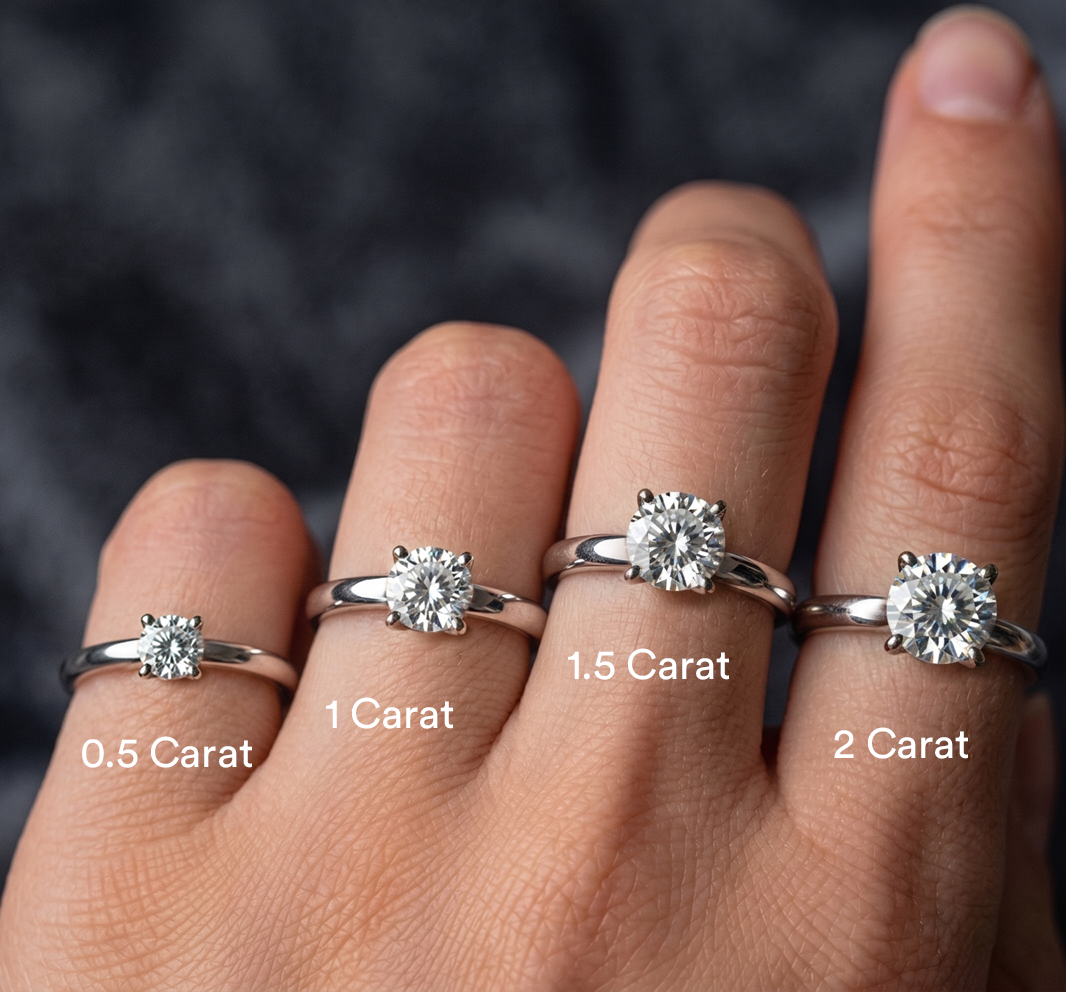
Round diamonds from 0.5 to 2 carats shown on a hand for size comparison
A 1-carat round diamond measures roughly 6.5mm across. A 2-carat diamond weighs twice as much but only adds about 1.7mm of visual width.
03.Size

Why a heavier diamond doesn’t always look bigger

A well-cut 0.9 ct. round diamond can face up larger than a poorly-cut 1.0 ct. round diamond. That’s because cut depth and proportions decide whether weight sits at the top of the stone (visible) or hides in the pavilion (invisible).
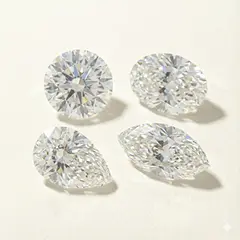
Elongated shapes - oval, marquise, pear, emerald, radiant - tend to look bigger per carat than round diamonds, because their length-to-width ratio stretches them across the finger.
When you shop, compare millimeter dimensions, not just carat weight. A 1.0 ct. round diamond is roughly 6.5mm across; a 1.0 ct. oval diamond is closer to 8.5mm long. Both wear noticeably differently.

RARE CARAT PRO TIP

If you want maximum visual size on a budget, pick an elongated shape and a strong cut grade before chasing carat weight. The same dollars buy you more on-finger presence.
Same 1.0 ct., different presence
Round
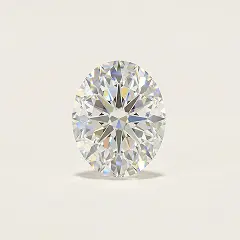
Oval
Marquise
Elongated shapes spread across the finger - they look 10–30% larger per carat than round diamonds.
04.Price

The “magic numbers” that quietly cost you thousands

Diamond prices don’t scale smoothly with weight. They jump at psychological thresholds - 0.5, 0.75, 1.0, 1.5, 2.0 carats - because that’s where buyers look.
A 0.99 ct. diamond can be 15–25% cheaper than a 1.01 ct. of the same quality, even though no one will ever spot the difference. We call those “shy” weights, and they’re the easiest way to save real money without compromising the look.
Move the slider below to see how diameter grows with weight. Notice how diameter scales much slower than weight - going from 1.0 ct. to 2.0 ct. only adds about 2mm of width.

RARE CARAT PRO TIP

Search by a carat range, not a single number. Set your filter to 0.9–1.0 instead of 1.0 exactly, and you’ll see beautiful shy-weight stones the rest of the market overlooked.
Our AI surfaces these magic-number savings automatically - they’re flagged as “best value” inside diamond search.
Browse all diamonds
05.Visuals

How to make a diamond look bigger

1. Pick an elongated shape. Oval, pear, marquise, and emerald diamonds look 10–30% larger per carat than round diamonds.
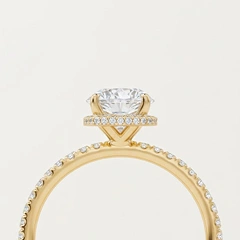
2. Choose a halo setting. A ring of small accent diamonds around the center stone visually adds about half a carat of presence.
3. Go for a thin band. The narrower the band, the bigger the diamond looks by contrast.
4. Insist on a strong cut grade. A well-cut diamond reflects more light from the top, which makes it look larger than its weight would suggest.
5. Match the metal to the diamond color. White metals (platinum, white gold) maximize a colorless look; yellow gold lets you size up with a slightly warmer-color stone.
The visual tricks
Halo
Solitaire
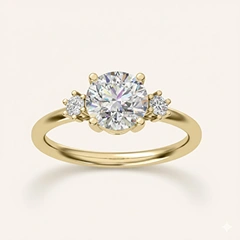
Three-stone
A halo wraps the center stone in small accent diamonds - adding roughly half a carat of presence.
Or browse every setting style
06. FAQS

Frequently Asked
Questions

Ready to find your stone?

You've learned the carat side of things. Now let our AI and gemologists surface the best-value diamond at your preferred size.